
Live Chat
Live Chat
EasyStarter uses tawk.to as its live chat integration.
Get the IDs
Copy Property ID and Widget ID from Tawk.to
-
Create a free account at tawk.to and sign in
-
Select the matching property; create one if it does not exist yet
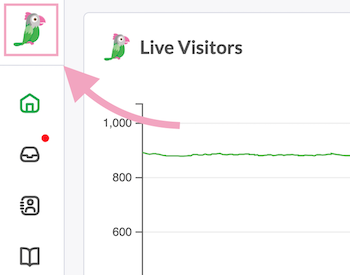
-
Click Administration in the left sidebar
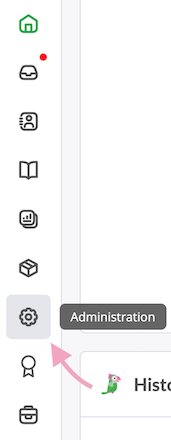
-
In Overview, the Property ID is below the Property Image
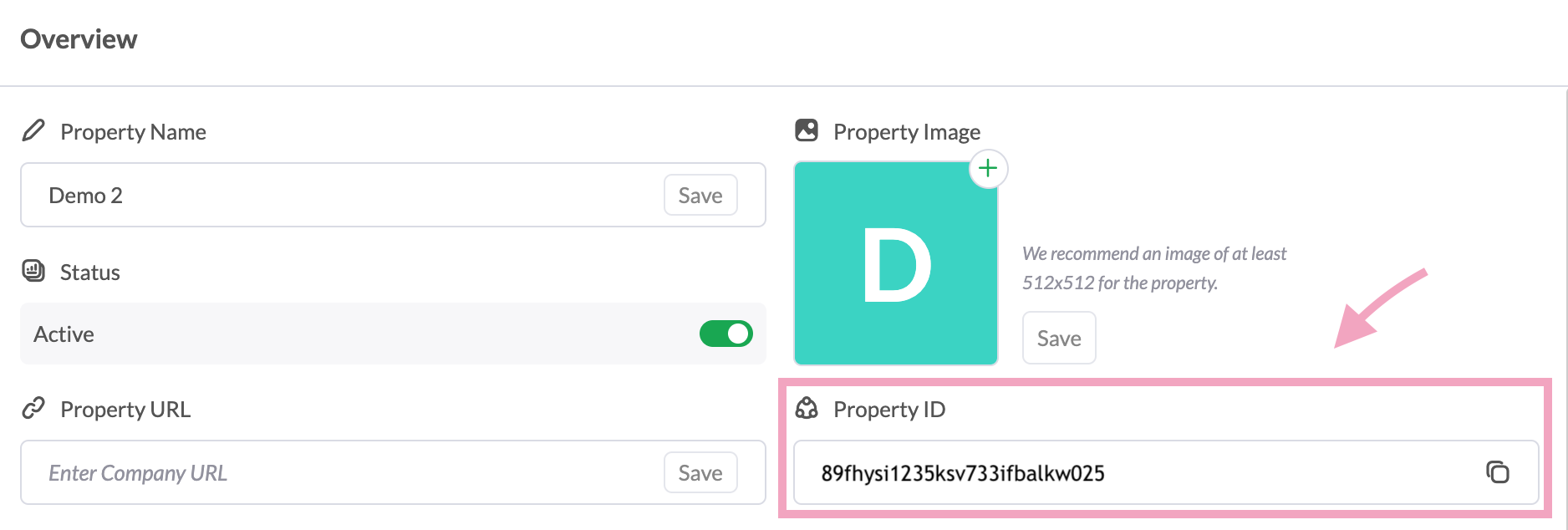
-
Open Channels → Chat Widget
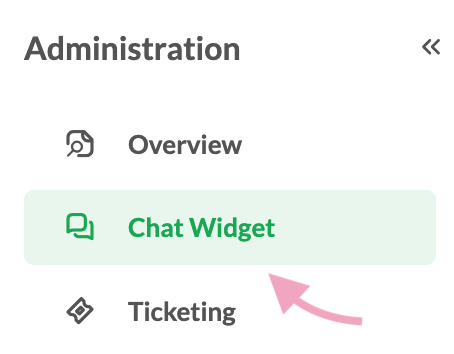
-
The Widget ID is under Widget Status
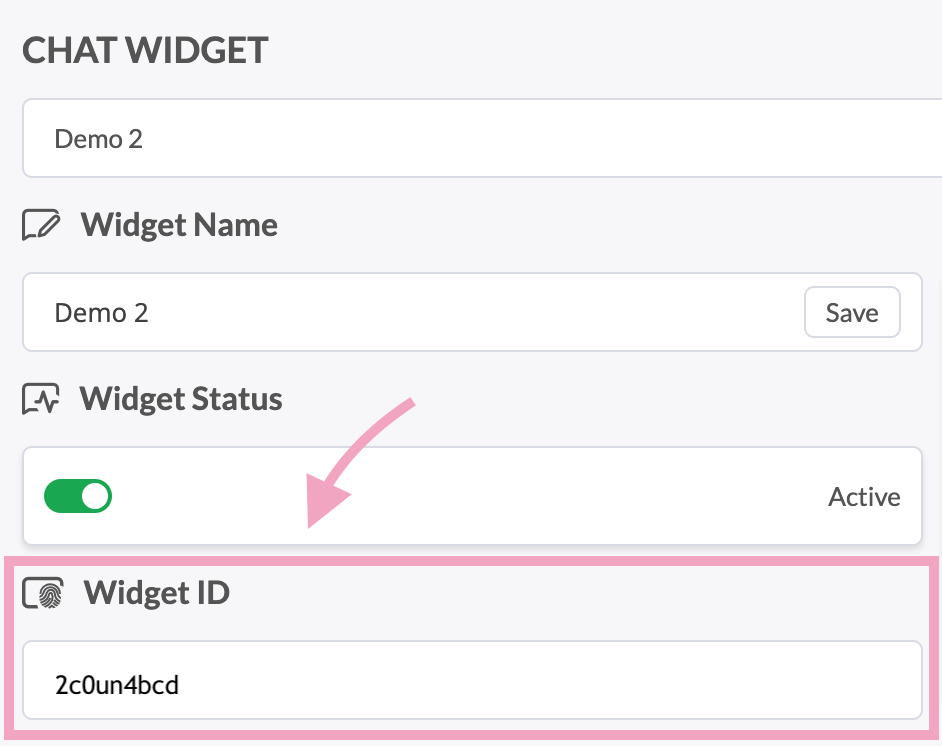
You can also copy both IDs from the Direct Chat Link after https://tawk.to/chat/, or from the Widget Code script URL: https://embed.tawk.to/{PROPERTY_ID}/{WIDGET_ID}

Set environment variables
Fill both values. If either is empty, the widget stays disabled.
These are public VITE_ variables baked into the client bundle. Do not put them in apps/server/.dev.vars.
Local development (apps/web/.env.development):
VITE_TAWK_PROPERTY_ID=xxxxxxx
VITE_TAWK_WIDGET_ID=xxxxxxx
Local production deploy (vars block of apps/web/wrangler.jsonc, plain text — not a Secret):
{
  "vars": {
    "VITE_TAWK_PROPERTY_ID": "xxxxxxx",
    "VITE_TAWK_WIDGET_ID": "xxxxxxx",
    // ...
  }
}
CI / remote-deploy variable list (apps/web/.env.production):
VITE_TAWK_PROPERTY_ID=xxxxxxx
VITE_TAWK_WIDGET_ID=xxxxxxx